
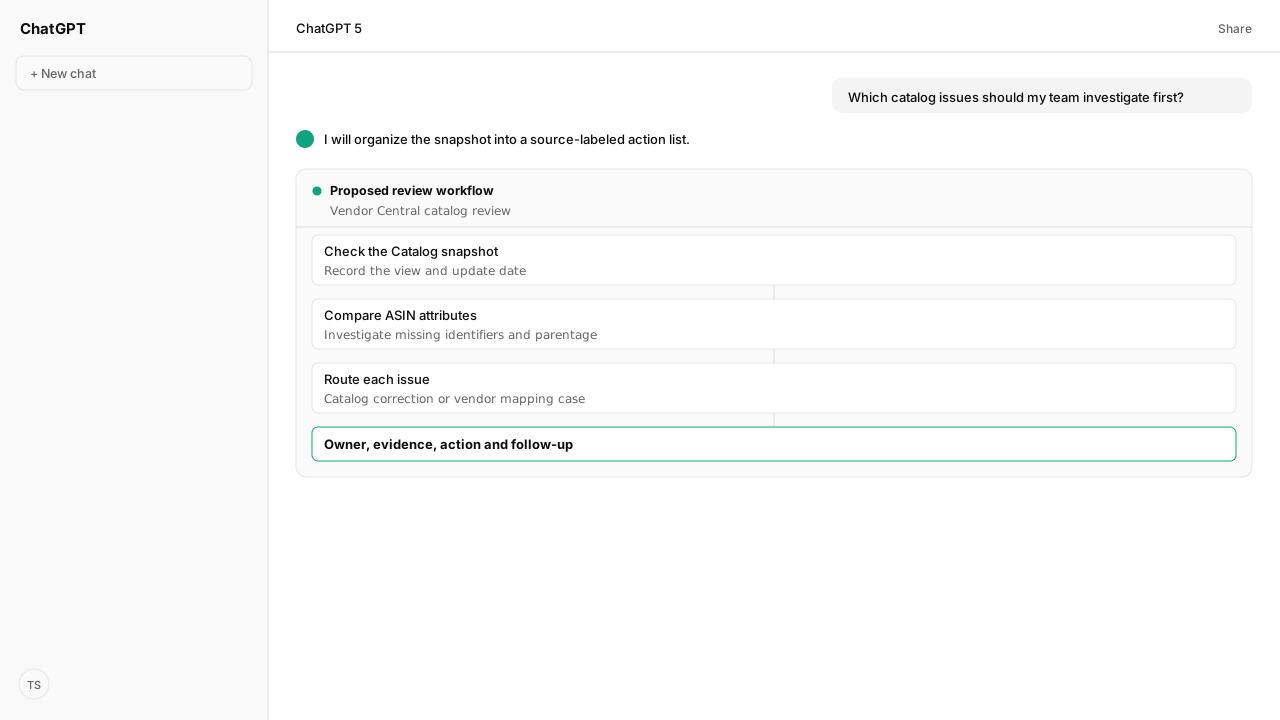
- The Amazon Retail Analytics Catalog dashboard shows the latest available ASIN attributes and its last update date; it has no date selector.
- Compare the selected view with your product roster and approved identifiers, brand and variation data. A blank field or absent ASIN is a reason to investigate, not proof of an error.
- Replenishment Category is the Catalog dashboard's ASIN availability status. Replenishment Code is a separate Inventory dashboard field.
- Route supported listing changes for review and submission; send vendor hierarchy or ASIN mapping issues to your retail partner or Amazon support. Corrected mappings may take up to 14 days to appear in dashboards.
The Amazon Vendor Central catalog is easier to audit when you compare the Amazon Retail Analytics Catalog dashboard with your own product roster. Check the view and update date first, then compare identifiers, brand, variation relationships and availability status. Give each mismatch an owner and route listing changes separately from vendor mapping cases.
A missing ASIN is only a useful finding if it belongs in the view you selected. Your vendor-code hierarchy and product roster supply that answer. With the Amazon Vendor Central MCP and shared Selling Partner tools, your team can compare authorized catalog information with its own records and the dashboard snapshot, then review the proposed action against the evidence. A matching API report for this dashboard has not been established, so bring the dashboard snapshot from Vendor Central.
The Catalog dashboard shows a snapshot, not a date range
The Catalog dashboard in Amazon Retail Analytics (ARA) shows the most recent available ASIN attribute data and the date the report was updated. It has no date selector. Record that update date alongside the marketplace, vendor group and view before comparing the dashboard with your own records. Amazon describes the dashboard and its access rules in its Retail Analytics guidance.
The Sourcing view covers products sourced directly from a vendor code in your vendor group. Eligible manufacturers may also have a Manufacturing view, which covers products they manufacture even when another vendor sourced them to Amazon. A non-administrator needs the Financial Reports task-based role to access the Manufacturing view. If the view itself is missing, check eligibility and access with your retail partner or Amazon support; an administrator controls the user's task-based role.
Start the audit with an independent roster of the ASINs you expect in the chosen scope. A list made only from the dashboard cannot reveal a product that is absent from it. Keep the roster's source and the dashboard update date with the audit, so a teammate can repeat the comparison without guessing which vendor group was used.
Product records turn catalog fields into findings
A catalog field becomes an actionable finding when the value differs from a trustworthy product record and someone can explain why the difference matters. Amazon's metric glossary identifies fields including ASIN, brand, Brand Code, Parent ASIN, product group and identifiers such as UPC and EAN. Brand Code is Amazon's code for the owning brand; it is not a substitute for checking your approved brand data.
Compare each row with the records your team maintains for that marketplace. An unexpected product identifier deserves a check against the product and its packaging. An unexpected parent relationship deserves a check against the intended variation family. A parent ASIN groups related child variations and is not itself a buyable product. A product without variations may have no parent, so a blank is a prompt for investigation rather than an automatic correction.
Keep the two replenishment fields separate
The Catalog dashboard also has Replenishment Category, which Amazon defines as the ASIN availability status. Replenishment Code is a different field in the Inventory dashboard and describes whether an item is replenishable. If the category conflicts with your expectation, investigate it with the team responsible for availability; do not assume that changing a listing attribute will change that status.
Prioritize from your own evidence. For example, put a suspected identifier mismatch on a high-priority product ahead of an unexplained but lower-impact field, and record why. Neither the dashboard nor an unexpected value alone proves that the issue caused lost sales. The separate guide to vendor listing quality checks covers a broader listing audit once you know which products need attention.
Missing ASINs need a scope check before a mapping case
A missing ASIN can reflect the selected view, the vendor hierarchy or catalog attributes used to map the product to ARA. Check the vendor code and view against the independent roster first. If the ASIN should belong in that scope, preserve the evidence and ask your retail partner or open a Vendor Central Contact Us case for mapping assistance.
Amazon says a corrected ASIN mapping may take up to 14 days to reflect in the dashboards. Record the correction or case date and schedule a follow-up. The 14-day window describes the reflection of a corrected mapping; it is not a promise that a case will be resolved in that time or a general refresh schedule for the Catalog dashboard.
If you need another product-data reference, Vendor Central's Items > Catalog download is a separate surface from the ARA Catalog dashboard. Amazon says that download is limited to 250 ASINs at a time and that data not associated with the vendor codes might not populate. Use it with those boundaries in mind rather than treating the download as proof that the dashboard has the same contents.
The action list separates listing edits from support cases
An action list makes the review usable after the initial comparison. Keep one row per finding, including an ASIN that is absent from the dashboard:
| Field | Record in the audit |
|---|---|
| Product and scope | ASIN, marketplace, vendor code, selected view and dashboard update date |
| Finding | Observed value or missing row, expected value and the product record supporting it |
| Priority | The business reason for reviewing it and the evidence behind that decision |
| Route and owner | Authorized listing correction, Amazon mapping case or further investigation; name the person responsible |
| Follow-up | Submission or case date, current status, next check and observed result |
The shared Selling Partner MCP tools provide access to supported catalog and listing operations for authorized accounts. Amazon's product listings guide distinguishes catalog lookup, product type requirements and listing updates. For a supported listing correction, check the product type requirements, review the proposed value and submit only under your team's permissions and approval policy. Then check Amazon's processing result and the resulting product data. A submitted change is not the same as a verified correction.
Mapping and vendor hierarchy questions may need Amazon's intervention instead. Keep the expected vendor code, ASIN, view and source records with the case; do not mark the row fixed until the relevant dashboard reflects the result. For related identity problems, the catalog identity preflight explains how to investigate brand and product ID issues.
What happens next: assign and recheck each finding
Choose a manageable set of ASINs, record the snapshot's scope and update date, and compare it with the approved product roster. Save your comparison and routing rules as a team-owned Skill if you want to repeat the review. Assign each exception to a listing owner, a mapping case or further investigation. Review proposed changes before submission and put a follow-up date on every open case.
The useful result is a list your team can close, not a count of empty cells.
Next, use the ARA metric and report guide to choose the right source for the sales or inventory question that follows.
Give each catalog finding a next step
Bring us the vendor catalog workflow your team wants to run. We'll map the relevant MCP connections and your review process with you.
Request private beta accessWhat you need to run vendor catalog data checks
- MCP
- Amazon Vendor Central MCP for authorized vendor reporting, with shared Selling Partner tools for supported Catalog Items and Listings Items work
- Skill
- Save the team's comparison rules and routing decisions as a reusable Skill. No published Kuudo Skill for this specific ARA audit is required.
- Atlas collection
- amazon_vendors; Amazon Retail Analytics and Amazon Retail Analytics metric glossary
- Required subscriptions
- Vendor Central access with Amazon Retail Analytics access; the appropriate vendor, marketplace and permissions for any connected catalog operations
Keep exploring vendor catalog data checks
Use these companion guides to understand the inputs, follow-on analysis, and adjacent workflows behind this playbook.
FAQ
Can I choose a past date on the Catalog dashboard?
No. The Catalog dashboard shows the latest available ASIN attribute data and the date the report was updated. Keep a dated copy of your own review if you need to compare later snapshots.
Why can't I see the Manufacturing view?
The Manufacturing view is for eligible manufacturers and must be enabled. A non-administrator also needs the Financial Reports task-based role. Ask an administrator about the role and your retail partner or Amazon support about access to the view.
Does a missing parent ASIN always mean the listing needs a fix?
No. A parent groups related child variations. Compare the field with your product records and intended variation structure before treating a blank as an issue.
How long does a corrected ASIN mapping take to appear in ARA?
Amazon says a corrected mapping may take up to 14 days to reflect in the dashboards. Record the correction date and check the dashboard again; that window is not a guarantee that every underlying issue is resolved.